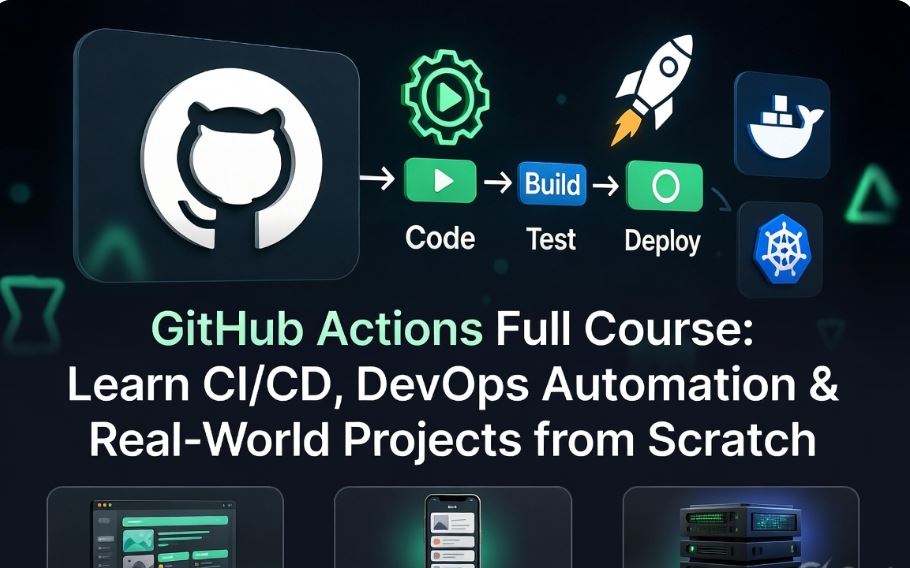
GitHub Actions CI/CD Guide: Learn DevOps Automation, Docker, AWS Deployment & Production Workflows
GitHub Actions · Professional CI/CD Course
From zero to advanced production pipelines | Real projects with command-level breakdowns
Master DevOps Automation with GitHub Actions
This is a complete, job-oriented curriculum. You will learn CI/CD fundamentals, YAML workflows, GitHub-hosted and self-hosted runners, secrets management, caching, Docker integration, AWS deployments (EC2, S3, ECS), matrix builds, and reusable workflows. Every chapter includes definitions, real examples, and line-by-line explanations. The five industry projects come with scenario, architecture, step-by-step implementation, and detailed command descriptions. All code blocks are terminal-style with copy functionality.
1. Introduction to CI/CD
Definition: Continuous Integration (CI) means automatically building and testing every code change. Continuous Delivery (CD) means the software is always ready for deployment. Continuous Deployment automatically releases to production.
Real-world scenario: A team of five developers works on the same repository. Without CI/CD, merging becomes painful, tests are skipped, and deployments are manual and error-prone. With GitHub Actions, every pull request runs tests and produces a build artifact. The main branch auto-deploys to staging.
name: Basic CI Example
on: [push, pull_request]
jobs:
  build:
    runs-on: ubuntu-latest
    steps:
      - run: echo 'CI pipeline triggered'
Explanation: The workflow runs on every push and pull request. The job uses an Ubuntu runner and executes a simple echo command. In practice, you would replace the echo with your actual build and test commands.
2. What is GitHub Actions
Definition: GitHub Actions is an event-driven automation platform integrated into GitHub. You define workflows as YAML files inside the .github/workflows directory. Key components: workflow (the YAML file), event (trigger like push or schedule), job (a set of steps that run on the same runner), step (either a shell command or a reusable action), action (a reusable unit, often from the Marketplace), runner (the virtual machine or container executing the job).
name: Show components
on: workflow_dispatch
jobs:
  demo:
    runs-on: ubuntu-latest
    steps:
      - name: Checkout code
        uses: actions/checkout@v4
      - name: List files
        run: ls -la
Line-by-line breakdown: name identifies the workflow. on: workflow_dispatch allows manual trigger from GitHub UI. jobs groups one or more jobs. runs-on defines the runner image. steps are executed sequentially: first, the actions/checkout action clones the repository; second, run executes the Linux command ls -la.
3. Workflow Basics – YAML explained line by line
YAML syntax essentials: Indentation matters. Use spaces, not tabs. Key-value pairs. Lists start with a dash and space. Strings don’t need quotes unless they contain special characters.
name: Detailed YAML Example
on:
  push:
    branches: [ main, develop ]
jobs:
  test:
    runs-on: ubuntu-22.04
    steps:
      - name: Checkout
        uses: actions/checkout@v4
      - name: Run tests
        run: npm test
Line-by-line explanation:
name: Detailed YAML Example– Human-readable workflow name.on:– defines the trigger. Underpush:we specify branches. The array[ main, develop ]means this workflow runs when code is pushed to either branch.jobs:– top-level container for jobs.test:– custom job ID. It can be any name.runs-on: ubuntu-22.04– pinned runner version for reproducibility.steps:– list of tasks.- name: Checkout– descriptive name for the step.uses: actions/checkout@v4– uses the official checkout action version 4.run: npm test– executes the npm test script in the runner’s shell.
4. Events, Jobs, Steps
Events: GitHub events like push, pull_request, schedule, workflow_dispatch, release. Jobs: Run in parallel by default, but you can use needs to sequence them. Steps: Each step is either a run (shell command) or uses (external action).
on:
  pull_request:
    types: [opened, synchronize]
  schedule:
    - cron: '0 0 * * 0'
jobs:
  lint:
    runs-on: ubuntu-latest
    steps:
      - run: echo 'Linting...'
  test:
    needs: lint
    runs-on: ubuntu-latest
    steps:
      - run: echo 'Testing...'
Explanation: The workflow triggers on pull request open or update, and also every Sunday at midnight (cron). Two jobs: lint and test. needs: lint makes the test job wait for the lint job to finish successfully. This is how you create sequential pipelines.
5. Runners: GitHub-hosted vs self-hosted
GitHub-hosted runners: Managed by GitHub. Available OS: Ubuntu, Windows, macOS. They are ephemeral, automatically updated, and have 2-core CPU, 7 GB RAM, 14 GB SSD. Self-hosted runners: You provision your own machines (on-prem or cloud). Useful for accessing private networks, larger resources, or custom hardware. Register them via GitHub Actions runner application.
jobs:
  hosted:
    runs-on: ubuntu-latest
  self:
    runs-on: self-hosted
environment: production6. Secrets & Environment Variables
Secrets: Encrypted variables stored in repository Settings -> Secrets and variables -> Actions. Accessed via ${{ secrets.NAME }}. They are masked in logs. Environment variables: Defined at workflow, job, or step level using env.
env:
  DEPLOY_ENV: staging
jobs:
  deploy:
    runs-on: ubuntu-latest
    steps:
      - name: Use secret safely
        run: echo "Deploying to $DEPLOY_ENV using token length ${#API_TOKEN}"
        env:
          API_TOKEN: ${{ secrets.DEPLOY_TOKEN }}
Explanation: The workflow-level environment variable DEPLOY_ENV is available to all jobs. The step defines a step-level environment variable API_TOKEN from a secret. The echo command prints only the length of the token, not the token itself – a safe practice.
run: echo ${{ secrets.MY_SECRET }} because output logs could expose the value.7. Artifacts & Caching
Artifacts: Files persisted after workflow run finishes. Useful for test reports, build outputs, logs. Caching: Stores dependencies (like npm, pip, Maven) across runs to speed up workflows.
steps:
  - uses: actions/cache@v3
    with:
      path: ~/.npm
      key: npm-${{ hashFiles('package-lock.json') }}
      restore-keys: |
        npm-
  - run: npm ci
  - uses: actions/upload-artifact@v4
    with:
      name: coverage-report
      path: coverage/
Explanation: The cache action stores the ~/.npm folder. The cache key is based on the hash of package-lock.json. If the lockfile changes, the cache is invalidated and a new one is created. restore-keys provides a fallback. After npm ci, the upload-artifact action saves the coverage/ folder for later download.
8. Docker Integration
Build and push Docker images directly from workflows. Use service containers for integration tests (database, cache).
name: Docker Build and Push
on:
  push:
    branches: [ main ]
jobs:
  docker:
    runs-on: ubuntu-latest
    steps:
      - uses: actions/checkout@v4
      - name: Login to Docker Hub
        uses: docker/login-action@v3
        with:
          username: ${{ secrets.DOCKER_USER }}
          password: ${{ secrets.DOCKER_PASS }}
      - name: Build and push
        uses: docker/build-push-action@v5
        with:
          context: .
          push: true
          tags: username/app:latest, username/app:${{ github.sha }}
Command breakdown: docker/login-action authenticates to Docker Hub (or other registry). docker/build-push-action uses Dockerfile in the repository root. context: . uses the current directory as build context. push: true uploads the image. tags assigns two tags: ‘latest’ and a tag based on Git commit SHA.
9. AWS Deployment using GitHub Actions
Deploy to AWS services like S3, EC2, ECS, or Lambda. Use official aws-actions/configure-aws-credentials. Prefer OIDC (OpenID Connect) over long-term access keys for security.
steps:
  - name: Configure AWS credentials via OIDC
    uses: aws-actions/configure-aws-credentials@v4
    with:
      role-to-assume: arn:aws:iam::123456789012:role/github-actions-role
      aws-region: us-east-1
  - name: Sync to S3
    run: aws s3 sync ./build/ s3://my-static-site/ --delete
OIDC advantage: No need to store AWS access keys as secrets. GitHub’s OIDC provider is trusted by AWS. The role must have trust policy allowing the GitHub repository. The aws s3 sync command intelligently uploads changed files and deletes files not present locally (–delete).
10. Advanced Workflows: Matrix & Reusable Workflows
Matrix strategy: Run the same job with multiple combinations of parameters (Node versions, OS, etc.). Reusable workflows: Call a workflow from another workflow to avoid duplication.
strategy:
  matrix:
    node-version: [16, 18, 20]
    os: [ubuntu-latest, windows-latest]
steps:
  - uses: actions/setup-node@v4
    with:
      node-version: ${{ matrix.node-version }}
  - run: npm test
Reusable workflow example: Create .github/workflows/reusable-ci.yml with on: workflow_call, then call it from another workflow using uses: ./.github/workflows/reusable-ci.yml. This reduces duplication across multiple repositories.
Project 1: CI/CD Pipeline for Node.js Application
Scenario: A team maintains an Express.js REST API. On every push to main and on pull requests, automatically install dependencies, run tests, build the application, and (if on main) prepare for deployment by uploading the build artifact.
Architecture: Single workflow with two jobs: test-build and deploy-staging. The second job uses needs and only runs for main branch. Artifacts are used to pass build output.
name: Node.js CI/CD Pipeline
on:
  push:
    branches: [ main ]
  pull_request:
    branches: [ main ]
env:
  NODE_VERSION: 18
jobs:
  test-build:
    runs-on: ubuntu-latest
    steps:
      - name: Checkout source code
        uses: actions/checkout@v4
      - name: Setup Node.js
        uses: actions/setup-node@v4
        with:
          node-version: ${{ env.NODE_VERSION }}
          cache: 'npm'
      - name: Install dependencies
        run: npm ci
      - name: Run tests
        run: npm test
      - name: Build application
        run: npm run build
      - name: Upload build artifact
        uses: actions/upload-artifact@v4
        with:
          name: dist-files
          path: dist/
  deploy-staging:
    needs: test-build
    if: github.ref == 'refs/heads/main'
    runs-on: ubuntu-latest
    steps:
      - name: Download artifact
        uses: actions/download-artifact@v4
        with:
          name: dist-files
          path: ./deploy
      - name: Simulate deployment
        run: |
          echo 'Deploying to staging environment'
          ls -la ./deploy
Detailed command breakdown:
actions/checkout@v4: Clones the repository to the runner.actions/setup-node@v4: Installs Node.js version 18 and adds it to PATH.cache: 'npm'automatically caches the ~/.npm directory.npm ci: Installs dependencies exactly from package-lock.json. Faster and safer than npm install.npm test: Executes test script defined in package.json (e.g., Jest, Mocha).npm run build: Runs the build script (TypeScript compilation, Webpack, etc.).upload-artifact: Persists thedist/folder. This folder is available after the workflow finishes.needs: test-build: Ensures the deploy job starts only after test-build completes successfully.if: github.ref == 'refs/heads/main': Restricts deployment to pushes on main branch only.download-artifact: Retrieves the previously uploaded dist files. In a real deployment, you would replace the simulation step with actual rsync, scp, or AWS commands.
Project 2: Docker Build and Push to Docker Hub
Scenario: Every time a Git tag matching v* is pushed, automatically build a Docker image, tag it with the version and ‘latest’, and push it to Docker Hub.
Architecture: Single job on Ubuntu runner. Uses Docker login action and build-push action. Secrets for Docker Hub credentials.
name: Docker Build and Push on Tag
on:
  push:
    tags: [ 'v*' ]
jobs:
  build-and-push:
    runs-on: ubuntu-latest
    steps:
      - name: Checkout code
        uses: actions/checkout@v4
      - name: Log in to Docker Hub
        uses: docker/login-action@v3
        with:
          username: ${{ secrets.DOCKER_USERNAME }}
          password: ${{ secrets.DOCKER_PASSWORD }}
      - name: Build and push
        uses: docker/build-push-action@v5
        with:
          context: .
          push: true
          tags: |
            ${{ secrets.DOCKER_USERNAME }}/myapp:latest
            ${{ secrets.DOCKER_USERNAME }}/myapp:${{ github.ref_name }}
Command and step explanations:
on.push.tags: [ 'v*' ]– triggers when a tag like v1.0.0, v2.3.4 is pushed.docker/login-action– authenticates using secrets. The secrets must exist in the repository (DOCKER_USERNAME and DOCKER_PASSWORD).docker/build-push-action– builds the Docker image using the Dockerfile in the root directory.push: trueuploads to the registry.tags– multi-line list of tags.github.ref_namegives the tag name (e.g., v1.2.3). So both ‘latest’ and the version tag are pushed.
Project 3: AWS EC2 Deployment using SSH
Scenario: On every push to main, automatically SSH into an EC2 instance, pull the latest code, install production dependencies, and restart the Node.js process using PM2.
Architecture: GitHub runner uses the appleboy/ssh-action to execute remote commands. SSH private key stored as a secret.
name: Deploy to EC2
on:
  push:
    branches: [ main ]
jobs:
  deploy:
    runs-on: ubuntu-latest
    steps:
      - name: SSH into EC2 and deploy
        uses: appleboy/ssh-action@v1.0.3
        with:
          host: ${{ secrets.EC2_HOST }}
          username: ubuntu
          key: ${{ secrets.SSH_PRIVATE_KEY }}
          script: |
            cd /home/ubuntu/app
            git pull origin main
            npm ci --production
            pm2 restart ecosystem.config.js
Breakdown of remote script commands:
cd /home/ubuntu/app– navigate to the application directory.git pull origin main– fetch latest changes from the main branch (requires repository access; use GitHub deploy keys or HTTPS with token).npm ci --production– installs only production dependencies, reducing node_modules size.pm2 restart ecosystem.config.js– restarts the Node process gracefully. PM2 ensures zero-downtime reload if configured.
Project 4: Static Website Deployment to S3 & CloudFront Invalidation
Scenario: A React static site is built on every push to main, then deployed to an S3 bucket configured for static web hosting. A CloudFront distribution serves the content, and we invalidate the cache to ensure users see the latest version.
Architecture: Workflow builds the React app, configures AWS credentials (using OIDC for security), syncs the build folder to S3, and creates a CloudFront invalidation.
name: Deploy to S3 and invalidate CloudFront
on:
  push:
    branches: [ main ]
jobs:
  deploy:
    runs-on: ubuntu-latest
    steps:
      - uses: actions/checkout@v4
      - name: Setup Node.js
        uses: actions/setup-node@v4
        with:
          node-version: 18
      - run: npm ci
      - run: npm run build
      - name: Configure AWS credentials via OIDC
        uses: aws-actions/configure-aws-credentials@v4
        with:
          role-to-assume: arn:aws:iam::123456789012:role/github-actions-role
          aws-region: us-east-1
      - name: Sync to S3
        run: aws s3 sync ./build/ s3://my-static-site-bucket --delete
      - name: Invalidate CloudFront
        run: aws cloudfront create-invalidation --distribution-id ${{ secrets.CF_DIST_ID }} --paths '/*'
Command explanations:
npm run build– creates the static files in the build/ directory (create-react-app default).aws-actions/configure-aws-credentialswith OIDC – assumes an IAM role. The role must have permissions for S3 sync and CloudFront invalidation.aws s3 sync ./build/ s3://my-static-site-bucket --delete– uploads new/changed files and deletes files that no longer exist in the build folder. Very efficient.aws cloudfront create-invalidation --distribution-id ... --paths '/*'– invalidates all cached objects at CloudFront edge locations, so visitors get the fresh content.
Project 5: End-to-End DevOps Pipeline to AWS ECS Fargate
Scenario: Production-grade pipeline: On push to main, run tests, build Docker image, push to Amazon ECR, and force a new deployment on Amazon ECS Fargate service.
Architecture: Uses OIDC for AWS authentication. Two jobs: test, and build-push-deploy. The second job depends on the first. The ECS service updates with the new image tag (Git SHA).
name: Full Pipeline to ECS Fargate
on:
  push:
    branches: [ main ]
env:
  AWS_REGION: us-east-1
  ECR_REPO: my-app-ecr-repo
  ECS_CLUSTER: production-cluster
  ECS_SERVICE: web-service
jobs:
  test:
    runs-on: ubuntu-latest
    steps:
      - uses: actions/checkout@v4
      - run: npm ci
      - run: npm test
  build-push-deploy:
    needs: test
    runs-on: ubuntu-latest
    permissions:
      id-token: write
      contents: read
    steps:
      - uses: actions/checkout@v4
      - name: Configure AWS credentials via OIDC
        uses: aws-actions/configure-aws-credentials@v4
        with:
          role-to-assume: arn:aws:iam::123456789012:role/GithubActionsRole
          aws-region: ${{ env.AWS_REGION }}
      - name: Log in to Amazon ECR
        id: login-ecr
        uses: aws-actions/amazon-ecr-login@v2
      - name: Build, tag, push image to ECR
        env:
          ECR_REGISTRY: ${{ steps.login-ecr.outputs.registry }}
          IMAGE_TAG: ${{ github.sha }}
        run: |
          docker build -t $ECR_REGISTRY/${{ env.ECR_REPO }}:$IMAGE_TAG .
          docker push $ECR_REGISTRY/${{ env.ECR_REPO }}:$IMAGE_TAG
      - name: Force new ECS deployment
        run: aws ecs update-service --cluster ${{ env.ECS_CLUSTER }} --service ${{ env.ECS_SERVICE }} --force-new-deployment
Step-by-step analysis:
- The
testjob ensures code quality before building the image. - The
build-push-deployjob uses OIDC:permissions.id-token: writeis required for the OIDC JWT. aws-actions/configure-aws-credentialsassumes a role that has permissions for ECR push and ECS update.amazon-ecr-loginauthenticates Docker to the Amazon ECR registry.docker build -t $ECR_REGISTRY/$ECR_REPO:$IMAGE_TAG .– tags the image with the Git commit SHA.docker pushuploads the image to ECR.aws ecs update-service --force-new-deploymenttriggers a rolling update of the ECS service, pulling the new image (the same tag because we used a new unique tag each time).
Common Errors and Troubleshooting
- YAML indentation errors: GitHub will show “workflow failed to parse”. Always use spaces, not tabs. Validate with online YAML linters.
- Secrets not found: The workflow might fail because a secret is missing. Check that secrets are added to the correct environment (repository, environment, or organization).
- Permission denied (publickey) for SSH: The SSH private key may be incorrect or the host key not trusted. Use
ssh-keyscanor add the host to known_hosts in a prior step. - Cache key not restoring: Ensure the
hashFilespath is correct. For npm, usepackage-lock.jsonoryarn.lock. - Docker build fails: Check Dockerfile syntax, ensure all files are inside context. Use
docker build --no-cachelocally first.
Best Practices Summary for Production
- Pin actions to full commit SHA for security (e.g.,
actions/checkout@a5ac7e51b41094c92402da3b24376905380afc29instead of v4 tag). - Use specific runner versions like
ubuntu-22.04instead ofubuntu-latestto avoid unexpected breaking changes. - Add
concurrencygroups to cancel outdated workflow runs on the same branch. - For AWS, always prefer OIDC over static IAM keys.
- Store your action versions in a central file or use Dependabot to keep them updated.
- Limit the permissions of
GITHUB_TOKENusingpermissions:at the job or workflow level.

3 Responses to “GitHub Actions Full Course: Learn CI/CD, DevOps Automation & Real-World Projects from Scratch”
Leave a Reply
You Missed
© 2025 digitalnewsservices.com. All rights reserved.
Empowering Businesses with DevOps Excellence & Real-World Learning. From Learning DevOps to Delivering Production-Ready Solutions — Built by Sumit Sharma
This guide explained everything clearly.
Thanks for sharing this useful information.
I learned something new from this post.